
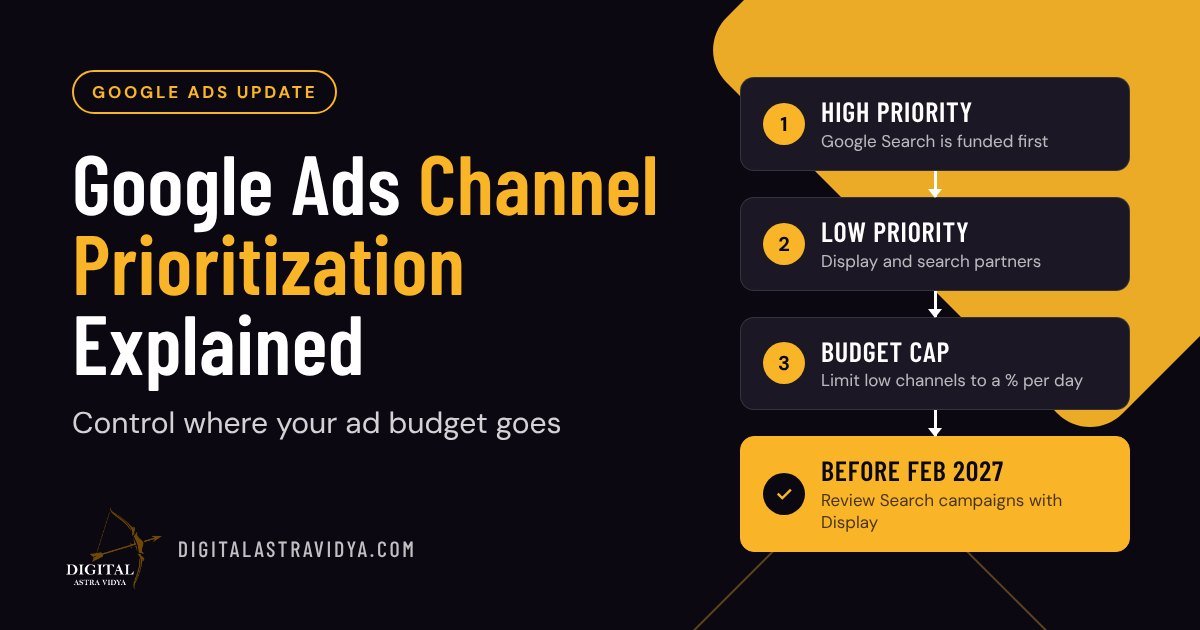
Short answer: Google Ads now lets you mark each channel in a campaign, such as Google Search, search partners or the Display Network, as High or Low priority. Google spends on High-priority channels first, and you can cap how much of your daily budget goes to Low-priority ones. Google announced it on 14 October 2026, and it is rolling out gradually from 15 October 2026, starting with Search, Shopping and Performance Max campaigns, with Demand Gen following in some accounts.
If you run Google Ads and have ever wondered why part of your Search budget went to placements you did not expect, this setting is worth ten minutes. The steps are below.
What changed and who it affects
Google added two optional controls to Google Ads:
- Channel prioritization. You put each channel in a campaign into a High or Low priority tier. By default, every channel is High.
- Budget allocation. For a Low-priority channel, you can set the most it should get as a percentage of the campaign’s average daily budget. Google’s help page gives an example: a 5% allocation on a $1,000 average daily budget keeps that channel at or below $50 a day. Setting it to 0% stops spend on that channel.
The channels you can rank depend on the campaign type, according to Google’s help page:
| Campaign type | Channels you can set | Budget allocation |
|---|---|---|
| Search | Google Search, search partners, Google Display Network | Yes |
| Shopping | Google Search, search partners | Yes |
| Performance Max | Google channels, search partners, Google Display Network | Yes |
| Demand Gen | Google channels, Google Display Network | No, prioritization only |
In Performance Max and Demand Gen, “Google channels” is one group that covers Search, YouTube, Maps, Gmail and Discover.
How Google spends the budget. High-priority channels are funded first. If you use Target CPA or Target ROAS and your campaign is limited by budget, money moves to Low-priority channels only when they can still hit your target. With Maximize Conversions, Maximize Clicks or Manual CPC, whatever is left after High-priority channels goes to Low-priority ones. If a Target CPA or Target ROAS campaign is not limited by budget, prioritization changes little, although any Low-priority caps still apply.
It is best effort, not a hard cap. Google says it aims to keep spend within your limit, but daily spend can sometimes go over. The allocation resets every day, and unspent or overspent amounts do not carry over.
Why it matters for Indian advertisers
Many Indian businesses run Google Ads on tight daily budgets. When a small budget is spread across Search, search partner sites and the Display Network, a share of it can go to clicks that behave very differently from a person typing a search on Google.
Until now, your choices on a Search campaign were mostly on or off: include search partners and the Display Network, or exclude them. Channel prioritization adds a middle option. You can keep a channel running but tell Google to fund it only after Google Search, and only up to a limit you set.
This is useful when:
- Your budget runs out early in the day and you want Google Search to get first claim on it.
- You want to test a channel such as search partners with a small, fixed share instead of switching it fully on.
- You manage many campaigns. An account-level default saves you changing each campaign one by one.
It does not replace good measurement. A channel that looks cheap may still bring poor leads, so check conversions by channel before you decide what is High and what is Low.
How to set it up, step by step
You can set a default for the whole account, then override it for single campaigns. The steps below follow Google’s help page.
For the whole account:
- In Google Ads, go to Account settings.
- Find the Channel Prioritization card.
- Choose the campaign type: Search, Shopping, Performance Max or Demand Gen.
- Set each channel to High or Low priority.
- Optionally, enter a budget allocation percentage for each Low-priority channel.
- Click Save.
For one campaign:
- Go to Campaigns and open the campaign.
- Click Settings and expand Channel Prioritization.
- Select Use campaign-level settings.
- Set the priority tiers and any allocation percentages, then click Save.
You can switch a campaign back to the account default at any time.
Points to know before you change anything:
- Look at your current spend by channel first. If a campaign already spends more on a Low-priority channel than the percentage you set, its spend will shift once the setting applies.
- Shared budgets treat all their campaigns as one pool, and every campaign in it must be the same type.
- Manager accounts (MCC) cannot set this. Agencies need to set it in each client account or at campaign level.
- Google Ads Editor and the API do not support it yet. Google says support is coming soon.
- Not every account has it yet. The rollout started on 15 October 2026 and is gradual, so the card may not appear for you straight away.
Google sometimes renames menus. If a step looks different, follow Google’s help page in the Sources below.
The February 2027 change to Search campaigns with Display
This part affects you even if you never open the new setting.
Today, a Search campaign can have the Display Network switched on (Google calls this Display Expansion). From February 2027, Google says these campaigns will move to channel prioritization automatically, and the current way spend is split between Search and Display will be removed. That may shift how your budget is spent across Google Search, search partners and the Display Network.
Google’s advice, if you want to keep roughly your current setup, is to set the Google Display Network to Low priority with a 50% daily budget allocation.
Two more points from Google’s help page:
- From February 2027, the Display Network will no longer serve on Search campaigns that use the Target Impression Share bid strategy.
- If you set channel priorities on a Search campaign before February 2027, they take effect straight away and replace the Display Expansion behaviour.
A simple plan: list your Search campaigns that have Display switched on, decide for each one whether Display is worth keeping, and set its priority before February rather than letting the default decide.
Frequently asked questions
Do I have to use channel prioritization?
No. It is optional, and every channel is High priority by default. The exception is Search campaigns with the Display Network on, which Google will move to the new setup from February 2027.
Is the budget allocation a strict limit?
No. Google calls it best effort. Daily spend on a Low-priority channel can sometimes go over the percentage you set.
Can I stop spend on a channel completely?
Yes. Set the Low-priority channel’s allocation to 0%.
Can I set YouTube and Gmail separately in Performance Max?
No. In Performance Max and Demand Gen, Search, YouTube, Maps, Gmail and Discover are grouped together as “Google channels”.
Why can’t I see the setting in my account?
The rollout is gradual, starting from 15 October 2026. It also cannot be set from a manager account, so check inside the client account.
Related reading
- What Does “Performance Marketing” Actually Mean?
- SEO vs SEM: What’s the Difference?
- Choosing Between Paid Search and Paid Social
- Understanding Attribution Models
- Google Ads Now Adds Promotions From Your Website Automatically
Need help with your Google Ads account? See our Performance Marketing service, or learn Google Ads hands-on in our online digital marketing training.
Sources
- >About channel prioritization and budget allocation, Google Ads Help
- >Channel prioritization and budget allocation announcement, Google Blog, 14 October 2026
- >New Google Ads Controls: Channel Prioritization & Budget Allocation, Search Engine Roundtable, 14 October 2026