
Last updated: 22 October 2026
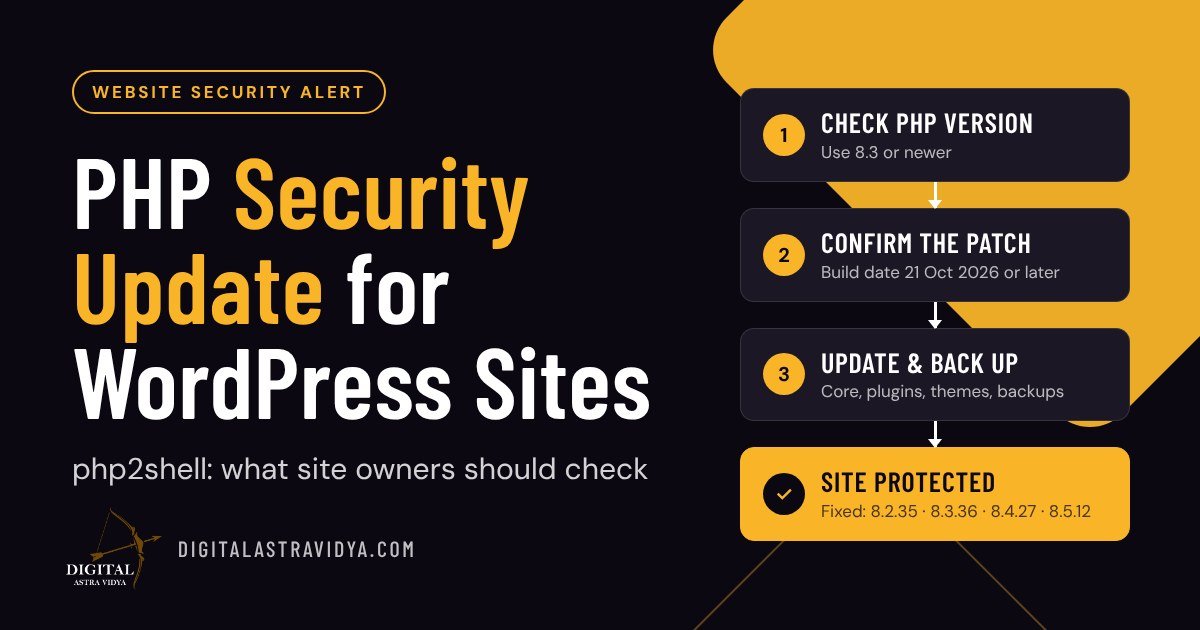
Short answer: On 21 October 2026, the PHP project released urgent security fixes for two critical vulnerabilities, CVE-2026-109618 and CVE-2026-109619, nicknamed “php2shell”. They affect almost every PHP version and can let an attacker run code on a web server without logging in. WordPress itself does not need an update; the fix is a patched version of PHP. If your site is on shared or managed hosting, your host patches PHP for you, but you should still confirm your PHP version, check that the patch is applied, and update and back up your site.
PHP is the programming language that WordPress, WooCommerce, Joomla, Drupal, Magento and many other platforms run on. That is why this update matters to almost every business website, blogger and digital marketer, not only developers.
What happened?
- Two critical flaws: both are memory-handling bugs in PHP itself. One can leave half-built data that PHP later treats as complete; the other lets a later request reach memory left over from an earlier one.
- Severity: each is rated 9.2 out of 10 (CVSS v4.0) by the PHP security team. An attacker does not need an account or password.
- Worst case: an attacker could run code on the server, read data they should not see, or take the site down.
- Attacks already seen: details leaked before the fix. Security firms including Cloudflare and Amazon Threat Intelligence reported attack attempts from 17 to 21 October 2026.
Which PHP versions are affected and fixed?
| PHP version | Status | Fixed in |
|---|---|---|
| 8.5 | Affected before 8.5.12 | 8.5.12 |
| 8.4 | Affected before 8.4.27 | 8.4.27 |
| 8.3 | Affected before 8.3.36 | 8.3.36 |
| 8.2 | Affected before 8.2.35 | 8.2.35 (support ends 31 December 2026) |
| 7.4, 8.0, 8.1 | Affected; end of life | No official release. Some hosts have applied their own patches. |
| 7.3 and older | Affected; end of life | No fix from the PHP project |
All common server setups are affected, including PHP-FPM, Apache with mod_php, LiteSpeed and php-cgi.
Does WordPress need an update?
No. This is a problem in PHP, not in WordPress. Updating WordPress, plugins or themes does not fix it; only a patched PHP version does. That said, keeping WordPress and plugins updated is still essential for your overall security.
What should you do? It depends on your hosting
| Hosting type | Who patches PHP? | Your action |
|---|---|---|
| Shared or managed WordPress hosting (for example Hostinger, SiteGround, Bluehost, WP Engine) | Your host | Check your host’s email or status page, and confirm the patch using the steps below. |
| VPS or self-managed server | You (or your developer) | Update PHP to a fixed version immediately and restart all PHP workers. |
| Enterprise platforms (for example WordPress VIP) | The platform | Usually no action required; follow the platform’s notices. |
As an example, Hostinger reports that it blocked known exploit attempts with firewall rules and finished rolling out patched PHP builds on all hosting plans except VPS on 22 October 2026. VPS customers must update PHP themselves.
Step-by-step checklist for WordPress site owners
- Check your PHP version. In WordPress, go to Tools → Site Health → Info → Server. You can also see it in your hosting control panel.
- Move to PHP 8.3 or newer. If you are on 8.1 or older, upgrade now. Even 8.2 reaches end of life on 31 December 2026. Change it in your hosting panel’s PHP settings, then check your site’s main pages, forms and checkout.
- Confirm the patch is applied. On shared hosting, the visible version number may not change because hosts often patch builds directly. Look for a PHP build date of 21 October 2026 or later in your host’s PHP info page, or ask support: “Has the 21 October 2026 PHP security release been applied to my site?”
- Update WordPress, plugins and themes, and remove plugins you no longer use.
- Take a fresh backup and store a copy off the server, for example in Google Drive.
- Scan for warning signs with a security plugin such as Wordfence: unknown admin users, unfamiliar files, unexpected redirects or spam pages.
- Use a web application firewall. Cloudflare (including its free plan) and many hosts added rules against known attacks. Treat this as an extra layer, not a replacement for the patch.
Do not change server settings yourself on shared hosting. Temporary workarounds published for server administrators are for VPS and dedicated servers; on shared hosting, your host handles them.
Why this matters for digital marketers
A hacked website does not just cause downtime. It can damage everything your marketing has built:
- SEO: Google may show a “This site may be hacked” warning, and injected spam pages can hurt your rankings for months.
- Paid ads: Google Ads and Meta can disapprove ads that send people to compromised or malicious pages.
- Trust and leads: visitors who see browser warnings rarely come back, and leaked form data can create legal problems.
- AI search: AI tools are less likely to recommend a site that has been flagged as unsafe.
Website security is part of digital marketing, not just IT. If you manage websites for clients, this is a good moment to share this checklist with them.
Frequently asked questions
What is php2shell?
php2shell is the nickname for two critical PHP vulnerabilities, CVE-2026-109618 and CVE-2026-109619, fixed on 21 October 2026. They can allow an attacker to run code on a web server without logging in.
Is my WordPress site affected?
Almost every site running PHP was affected until its host applied the fix. Sites on shared or managed hosting are usually patched by the host; check your host’s notice and your PHP version to confirm.
Do I need to update WordPress to fix it?
No. The fix is a patched version of PHP: 8.5.12, 8.4.27, 8.3.36 or 8.2.35. Updating WordPress, plugins and themes is still good practice but does not fix this issue.
How do I check my PHP version in WordPress?
Go to Tools → Site Health → Info and open the Server section. Your hosting control panel also shows the PHP version and lets you change it.
Which PHP version should I use now?
PHP 8.3 or newer, if your theme and plugins support it. PHP 8.1 and older no longer receive official security fixes, and PHP 8.2 support ends on 31 December 2026.
Related reading
- What Is a CMS? How WordPress Works
- How to Publish and Update a Blog Post in WordPress
- What Makes a Landing Page Convert?
Need help checking or securing your website? See our Website & Landing Page Optimization service or contact us.