
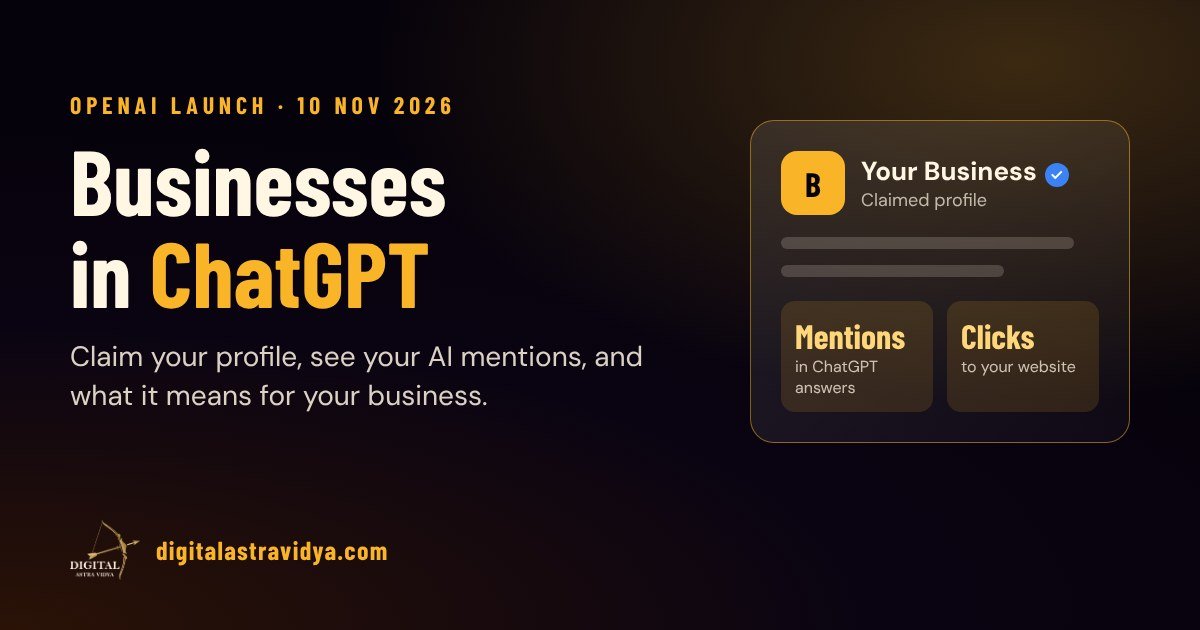
Short answer: On 10 November 2026, OpenAI launched Businesses in ChatGPT in beta. It lets a business claim and verify its profile in ChatGPT through a new Business Hub, keep its details up to date, and see basic insights such as how often it is mentioned and how many people click through to its website. Claiming is free during the beta and, according to OpenAI, does not guarantee higher placement. A second feature, Business Agents, lets a business launch its own AI assistant inside ChatGPT, but it is limited to eligible ecommerce and online-service businesses in the United States for now.
If your customers ask ChatGPT for recommendations, this is the first official way to control how your business is described there. Here is what launched, what it means for businesses in India, and what to do this week.
What OpenAI launched
Businesses in ChatGPT has three parts:
1. Business Hub: claim and manage your profile
Business Hub is where a business claims its profile in ChatGPT and keeps its key information current. Retailers can also supply a product feed with prices and availability. Shopify merchants can connect their store from Business Hub or from the Shopify admin, and eligible Shopify products are already available in ChatGPT through Shopify Catalog. A claimed profile shows a blue check mark, which confirms the profile has been claimed. It is not a full check of everything on the profile.
2. Insights: how ChatGPT mentions you
Once a business has claimed its profile, it can see aggregated data, shown only once activity passes certain thresholds:
- Mentions: how often ChatGPT shows your business in its answers
- Website clicks: how often people click a link to your site from ChatGPT
- Topics: common themes in conversations where your website appears
Businesses cannot see individual users’ conversations. This is the first time businesses get official data on their visibility in ChatGPT, something that until now could only be estimated with manual tests.
3. Business Agents: your own assistant inside ChatGPT (US only for now)
After claiming a profile, an eligible business can build and launch an agent that answers questions about its products and services, using information the business controls. Users who see the business in a ChatGPT answer can open its profile and start a conversation with that agent. At launch this is limited to eligible ecommerce and online-service businesses in the US. OpenAI says it plans to expand to more markets and business types.
Key facts at a glance
| Question | Answer |
|---|---|
| When did it launch? | 10 November 2026, as a beta |
| Who can claim a profile? | Eligible businesses with a website, in places where ChatGPT is available. Eligibility depends on industry, location and verification |
| Does it cost anything? | Free during the beta. OpenAI has not ruled out paid features later |
| How is it verified? | Usually by adding a DNS record to your domain. Other options include your business phone number, a connected Shopify store, or an OpenAI representative for enterprise customers and advertisers |
| Does claiming improve my ranking? | No guarantee. OpenAI says ChatGPT keeps making independent recommendations, but clearer information can help it show you in more relevant conversations |
| Are Business Agents available in India? | Not yet. They are limited to eligible US ecommerce and online-service businesses at launch |
Why this matters for your business
More people now ask AI tools questions such as “best digital marketing course online” or “which CA firm in Pune handles GST for startups”, and get one AI-written answer instead of a list of links. If ChatGPT describes your business wrongly, or not at all, you lose those customers without ever knowing. We explain this shift in What Is AI Search Visibility?
Businesses in ChatGPT changes three things:
- You can correct your information at the source. Until now, businesses could only influence how AI tools described them indirectly, through their website, reviews and mentions elsewhere.
- You can measure it. Mentions and clicks give you real numbers to track, alongside your Google Search Console and GA4 data.
- It is the AI version of a Google Business Profile. Just as local businesses learned to claim and manage their Google profile, they will now need to do the same in ChatGPT.
It does not replace the basics. ChatGPT still decides who to recommend based on what it finds across the web. A claimed profile with a weak website, few reviews and inconsistent details elsewhere will not suddenly become the top recommendation.
What to do this week: a 6-step checklist
- Test how ChatGPT describes you today. Ask “What is [your business]?” and “Who are the best [your service] providers in [your city]?” Save the answers so you can compare later.
- Check whether you can claim your profile. Log in to ChatGPT and go to chatgpt.com/business-hub. Access is opening gradually, so you may see a waitlist first. Follow our step-by-step guide with screenshots.
- Prepare consistent details. Use exactly the same business name, address, phone number, services and description as on your website and your Google Business Profile.
- Verify through your domain. The usual method is a DNS TXT record. Ask whoever manages your domain or hosting to add it, and leave it in place afterwards.
- Retailers: connect your product feed. If you sell online, add your product feed or connect Shopify so prices and availability stay accurate.
- Track the numbers monthly. Note mentions and clicks in Business Hub next to your organic traffic and leads, so you can see whether your AI visibility is growing.
Only use OpenAI’s official pages to claim your profile. New features like this attract look-alike websites and agencies offering “guaranteed” ChatGPT rankings, which nobody can promise.
How to claim your business in ChatGPT
In short: log in to ChatGPT with your business email, open chatgpt.com/business-hub, search for your business and choose Claim or Create. Many businesses in India currently see a “Join the waitlist” screen first. That is normal: join, and OpenAI will email you when you can continue.
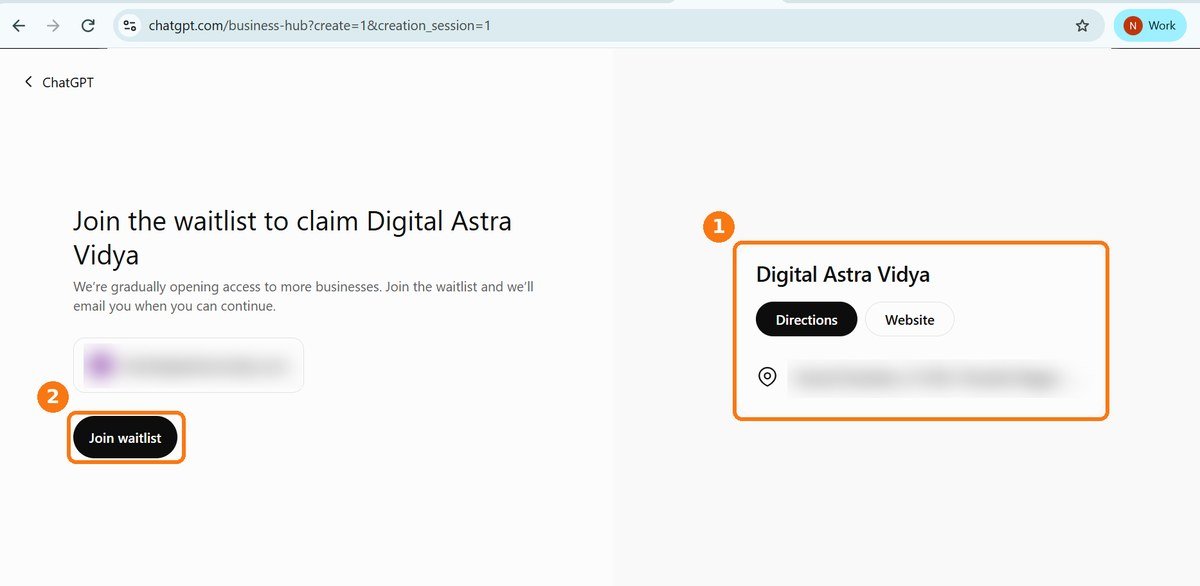
For every screen from login to approval, including verification and the identity check, follow our step-by-step guide to claiming your business in ChatGPT.
Strengthen the signals ChatGPT relies on
Claiming your profile is one step. The businesses that ChatGPT recommends most often also have:
- A clear website that explains what you do, for whom and where, with an FAQ section and structured data (schema)
- Genuine reviews on Google and relevant directories
- Mentions in trusted places such as industry sites, local news and partner websites
- The same business details everywhere, with no old addresses or phone numbers left online
For the full framework, read AI Search Visibility: The Complete Guide, or, if you lead a business, What AI Search Visibility Means for Your Business.
Frequently asked questions
What is Businesses in ChatGPT?
It is a beta feature from OpenAI, launched on 10 November 2026, that lets businesses claim and verify their profile in ChatGPT, keep their information current through Business Hub, see insights about mentions and website clicks, and, for eligible US businesses, launch their own Business Agent.
Is it free to claim my business in ChatGPT?
Yes, during the beta. OpenAI has not ruled out paid features in future.
Will claiming my profile make ChatGPT recommend my business more?
Not automatically. OpenAI says claiming does not guarantee higher placement, and ChatGPT continues to make independent recommendations. Accurate, clear information can help it show your business in more relevant conversations.
Can Indian businesses use Business Agents?
Not at launch. Business Agents are limited to eligible ecommerce and online-service businesses in the United States, with expansion to more markets planned. Profile claiming is open to eligible businesses in places where ChatGPT is available, subject to OpenAI’s eligibility checks.
Why does ChatGPT Business Hub show a waitlist?
OpenAI is opening Business Hub to businesses gradually. If access is not open for your business yet, you will see a “Join the waitlist” screen. Join with your business email, and OpenAI will email you when you can continue.
How do I verify my business?
Most businesses verify by adding a DNS TXT record to their domain. Other routes include a call or text to the business phone number, connecting a Shopify store, or, for enterprise customers and advertisers, through an OpenAI representative. Follow whichever method Business Hub asks for.
Related reading
- What Is AI Search Visibility? Why Brands Are Starting to Disappear From Search
- AI Search Visibility: The Complete Guide
- What AI Search Visibility Means for Your Business
Want to know how ChatGPT and other AI tools describe your business today? See our AI search visibility review and SEO & AI search services, or learn it yourself in our live online training.