
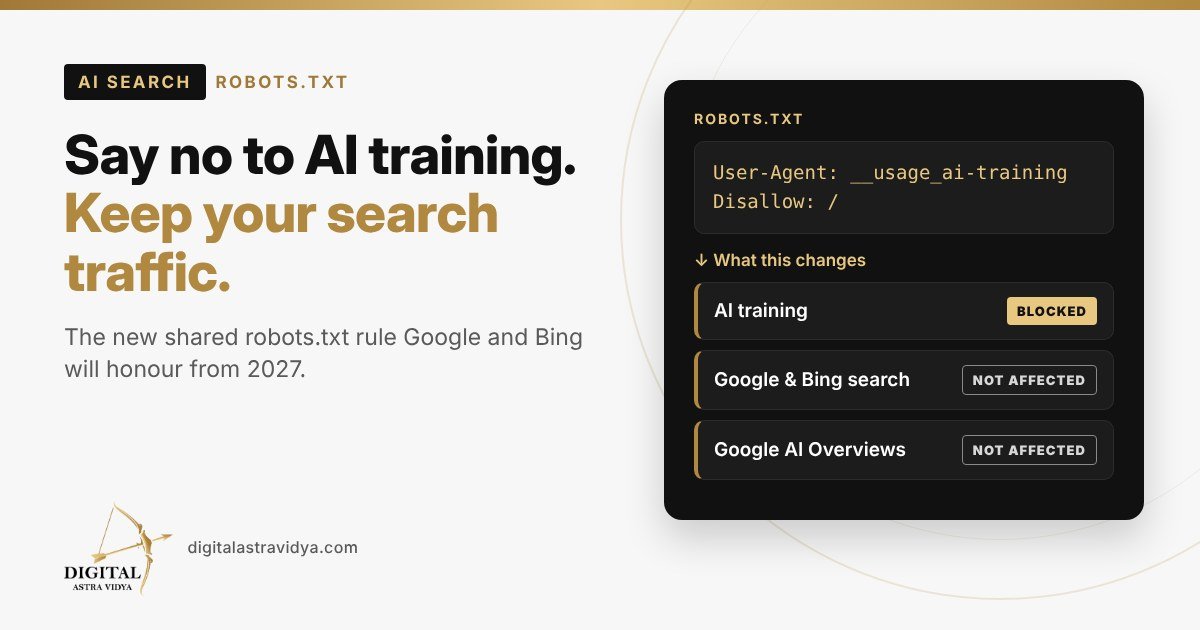
Short answer: A new shared robots.txt rule, __usage_ai-training, lets you tell AI companies not to train their models on your content. Microsoft Bing will honour it from 1 February 2027, and Google says it intends to support it in early 2027. Using it does not remove your site from Google or Bing search results, and it is not the switch for Google’s AI Overviews.
Imagine you run a coaching institute and sell course notes online. You want students to find you on Google, but you do not want an AI model learning from your paid material. Until now, that meant juggling a different rule for every AI company.
On 30 October 2026, Google and Microsoft Bing both backed one shared way to say “no training”. Here is what it does, what it does not do, and how to set it up safely.
What Google and Bing announced
Google published a post on its Search Central blog about supporting a shared AI training control. Its crawler documentation, updated on 30 October 2026, says Google intends to support the signal, written as user-agent: __usage_ai-training, in early 2027.
Google’s older control, Google-Extended, keeps working. Google says that if you opt out of training with the new rule and do not name Google-Extended, it plans to treat that as if you had blocked Google-Extended. Google-Extended also covers grounding in the Gemini apps, so a site-wide training opt-out may also limit how your pages are used in Gemini app answers.
Microsoft Bing published new preferences on the same day. They separate AI training from AI grounding, and Bing will start honouring them from 1 February 2027. They also replace Bing’s old NoArchive and NoCache tags as training and grounding signals.
The rule comes from an Internet-Draft called “Machine-Readable Training Preference Signal”, dated 30 October 2026. It is an individual draft, not a finished standard, and the IETF has not endorsed it. Trade press reports that OpenAI and Anthropic also back the signal. No official statement from either company could be confirmed at the time of writing, so check their documentation before relying on it.
Training, grounding and search are three different things
The new rule covers only one of these, so it helps to keep them apart.
| What it means | How you control it | |
|---|---|---|
| AI training | Using your content to change what an AI model has learned | The new __usage_ai-training rule in robots.txt (from 2027), or Google-Extended today |
| AI grounding | Using your content as input for a live AI answer, for example when an AI tool reads and cites your page | Bing: a page-level meta tag. Google: Google-Extended covers grounding in the Gemini apps |
| Search | Your normal listing in Google or Bing results | Not affected by either rule. Only blocking Googlebot or Bingbot removes you |
| Google AI Overviews and AI Mode | AI answers inside Google Search | A separate setting: the Search generative AI control in Search Console |
Google’s documentation says Google-Extended does not affect a site’s inclusion in Google Search and is not a ranking signal. Bing says its new preferences do not change eligibility for Bing search results. Bing also says indexing and ranking pages in normal search results is not grounding.
Blocking grounding is a bigger step. Bing warns: “If you select DisallowExtended or Disallow for grounding, you will see reduced brand visibility in AI experiences.”
Why it matters for Indian businesses and learners
Many Indian websites have blocked or allowed AI bots without a clear plan. This change gives you one simple line for training, and it makes the choice easier to explain to a client or a manager.
The right choice depends on what your content does for you:
- Your content is the product: courses, research, news or paid guides. Blocking training may make sense.
- Your content wins customers: a service business, a D2C brand or a local shop. Being found and named by AI tools usually matters more. You can still opt out of training, but keep grounding and search open.
There is no rush to act today. Bing starts on 1 February 2027, and Google in early 2027. Adding the rule now is harmless, and it is a good moment to review your robots.txt file.
How to set it up in eight steps
- Decide your position. Write down two answers: do you allow AI training, and do you want to appear in AI answers? Treat them as separate choices.
- Open your robots.txt file. It lives at yourdomain.com/robots.txt. On WordPress, most SEO plugins include a robots.txt editor. Otherwise, ask your developer or hosting provider.
- Add the training rule. To opt out of training for the whole site, add these two lines:
User-Agent: __usage_ai-training
Disallow: /
To opt out for one folder only, use a path instead, for example
Disallow: /courses/. - Do not rely on
User-agent: *. Under the draft, the catch-all group does not apply to this rule. You must add the named group yourself. - Leave Googlebot and Bingbot alone. Blocking those crawlers removes you from normal search results.
- Check your Google-Extended line. If you already have one, it keeps working. Remember that it also affects grounding in the Gemini apps, and Google plans to read a site-wide training opt-out the same way. If Gemini visibility matters to you, consider blocking training only for the folders you need to protect.
- Set Bing grounding only if you need to. It is page-level only. To stop a page being used in Bing’s AI answers, add
<meta name="Bingbot" content="ai-grounding:disallow">. Most businesses that want AI visibility should skip this step. - Move off NoArchive and NoCache. After 1 March 2027, Bing will no longer read them as training or grounding preferences. Sites that use them can pick a temporary setting in Bing Webmaster Tools from 15 December 2026.
Tip: After any change, open the robots.txt report in Google Search Console to check that Google can read your file. Put 1 February 2027 in your calendar, and re-check once Google confirms its rollout.
An example
Say an online test-prep company in Pune sells paid mock tests and publishes free blog articles to attract students. It adds the training rule only for its paid folder (Disallow: /mock-tests/), so AI models are asked not to learn from its paid material.
Its free blog stays open for training, grounding and search, so ChatGPT, Gemini and Google can still read, cite and recommend it. Search rankings are not affected either way.
Common mistakes to avoid
- Blocking Googlebot to stop AI: this removes you from Google Search, not just from AI.
- Assuming
User-agent: *covers training: it does not. The rule needs its own named group. - Thinking this switches off AI Overviews: it does not. That is a separate Search Console setting.
- Blocking grounding by default: it can make your brand disappear from AI answers that would have sent you customers.
- Copying a robots.txt file from another site: every business has different goals. Decide your own position first.
Frequently asked questions
Will blocking AI training hurt my Google rankings?
No. Google says Google-Extended does not affect inclusion in Google Search and is not a ranking signal. Bing says its new preferences do not change eligibility for Bing search results.
Will this rule remove my site from AI Overviews?
No. The training rule is not the control for AI Overviews or AI Mode. For those, Google points to the Search generative AI control in Search Console.
Does the rule work today?
Not yet. Bing will honour it from 1 February 2027, and Google intends to support it in early 2027. Adding it now does no harm.
Does User-agent: * cover AI training?
No. Under the draft, the catch-all group does not apply to __usage_ai-training. You need to add the named group.
Should a small business block AI training?
It is your call. If your content is what you sell, blocking may make sense. If your content exists to bring in customers, staying visible in AI answers usually matters more.
Related reading
- AI Search Visibility: The Complete Guide to Getting Found by ChatGPT, Gemini and Google AI
- What Is AI Search Visibility? Why Brands Are Starting to Disappear From Search
- What AI Search Visibility Means for Your Business: A Guide for Leaders
- SEO vs SEM: What’s the Difference?
Sources
- Google Search Central: Supporting a shared AI training control for websites (30 October 2026)
- Google: Common crawlers, including Google-Extended (updated 30 October 2026)
- Microsoft Bing: Your content, your choice: clearer preferences for training and grounding (30 October 2026)
- IETF Datatracker: Machine-Readable Training Preference Signal (Internet-Draft, 30 October 2026)
Want to know whether your website is blocking the right AI bots, and how AI tools see your brand today? Book an AI Search Visibility Review, see our SEO & AI Search Visibility service, or learn it hands-on in our online digital marketing training, available as one-on-one or group classes.