
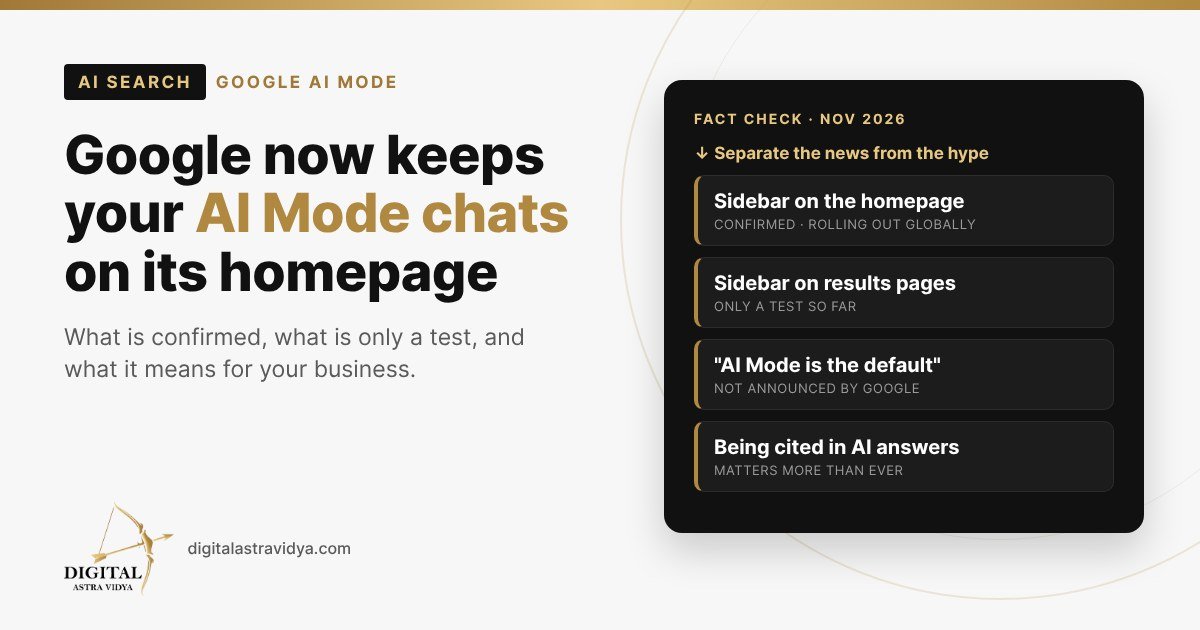
Short answer: On 19 November 2026, Google started rolling out a collapsible sidebar on its desktop homepage that lists your recent AI Mode conversations, so you can reopen a chat and carry on where you left off. It is rolling out globally. The same sidebar on normal search results pages is only a test so far, and Google has not announced that AI Mode is becoming the default way to search.
Imagine a parent in Mumbai researching coaching classes for their child. On Monday they ask AI Mode about fees and batch timings. On Wednesday they open Google again, and their earlier chat is waiting in the sidebar. They click it and keep asking follow-up questions instead of starting a fresh search.
That is the change in one picture. Google is making it easier to stay inside AI Mode for longer research, much like a ChatGPT chat history.
“Whether people want a quick DIY tip, are comparing iPhones or are researching a high-value purchase like a home, more and more of them now start with an AI answer instead of a list of links. A sidebar that keeps those chats open will only make this habit stronger, so make sure your pages are the ones being quoted.” — Nilesh Malpure
What Google announced
Robby Stein, Google’s vice president of product for Search, announced the change on X on 19 November 2026. He said: “we’re rolling out a collapsible sidebar to easily find & jump back into your recent AI searches.” He added that in testing, the sidebar “made a big difference for making progress and continuing to explore the web.”
Here is what the sidebar does, based on Google’s announcement and its AI Mode help pages:
- Recent threads: your recent AI Mode searches are listed on the left, and one click reopens a conversation.
- New and searchable threads: you can start a new thread or search your older ones.
- Notebooks: you can save threads into a notebook with your own files, links and instructions.
- Collapsible: you can close the sidebar if you do not want it.
- Temporary threads: Google is also launching temporary AI Mode chats worldwide. These are not saved to your history.
Tip: The sidebar can only bring back old chats if your Google search history is turned on. Without it, AI Mode still works but cannot resume earlier searches.
Fact check: what is confirmed and what is hype
Many posts this week say “AI Mode is now the default search experience”. Here is what the sources actually say.
| Claim | Status | What we know |
|---|---|---|
| AI Mode chat sidebar on the Google homepage | Confirmed | Announced by Google on 19 November 2026, on desktop, rolling out globally |
| Same sidebar on normal search results pages | Only a test | Search Engine Roundtable spotted it in October 2026 and said it is “not fully rolled out” |
| AI Mode is now the default search | Not announced | Google has not said this. Normal search results are still the default |
| Mobile app | Not covered | The announcement is about the desktop homepage only |
The direction is still clear. Each change this year has made AI Mode easier to reach and easier to keep using.
What it means for your business
When people can return to a chat, they ask more follow-up questions inside AI Mode. Fewer of those questions turn into a fresh search with ten blue links.
- Longer research happens inside AI Mode: people comparing courses, clinics, builders or software can keep refining one conversation over several days.
- Being cited matters more: if your page is the source AI Mode quotes and links, you stay in the conversation. If not, you may never be seen.
- Clicks may be fewer but warmer: someone who clicks after a long AI conversation usually knows what they want.
- Brand searches still count: people often finish their AI research by searching for the business name they want, so your brand pages and Google Business Profile must be accurate.
How to prepare your website: 5 steps
- Answer questions directly. Start key pages with a short, clear answer, then explain. AI tools find it easier to quote pages written this way.
- Cover the follow-up questions. Think about what someone asks next: fees, timings, comparisons, “near me”. Add these to your pages and FAQs.
- Keep facts up to date. Prices, addresses, phone numbers and opening hours should match across your website, Google Business Profile and directories.
- Show real expertise. Use a real author name, real experience and original examples. Google’s guidance rewards content written by people who know the topic.
- Measure your AI visibility. In Google Search Console, open the Generative AI performance report. It shows impressions from AI Overviews and AI Mode, and Google rolled it out to all websites worldwide on 31 August 2026.
An example
Say a physiotherapy clinic in Thane gets most of its patients from Google.
A patient asks AI Mode, “physiotherapy for knee pain after running in Thane”. Over two days they come back to the same chat and ask about session costs, how many sessions they need, and whether home visits are possible.
The clinic’s website has a clear knee pain page with fee ranges, session counts and home visit details. AI Mode cites that page in the answers, and the patient books a call. A competitor with only a short “Services” page never appears in the conversation.
Common mistakes to avoid
- Believing the hype: normal search results are still the default. Do not drop SEO basics because of a social media post.
- Panicking over traffic: check your Search Console data before changing anything. A sidebar on the homepage does not change your rankings.
- Writing only for keywords: pages stuffed with “best clinic in Thane” rarely get cited. Pages that answer real questions do.
- Ignoring outdated listings: AI answers often pull details from directories. An old address or price can follow you into AI Mode.
- Not tracking AI visibility: without the Generative AI performance report, you cannot tell whether AI Mode is showing your pages.
Frequently asked questions
What is the new AI Mode sidebar on Google?
It is a collapsible panel on the left of Google’s desktop homepage that lists your recent AI Mode conversations. You can reopen a chat, start a new thread or search your older threads.
Is AI Mode now the default Google search?
No. Google has not announced this. Normal search results are still the default, and the sidebar on search results pages is only being tested.
Is the AI Mode sidebar available in India?
Google says the sidebar is rolling out globally on the desktop homepage, so it should reach users in India gradually.
Can I turn off the AI Mode sidebar?
You can collapse the sidebar, and you can delete your AI Mode history. If your search history is off, AI Mode cannot resume earlier chats.
How can my business appear in Google AI Mode answers?
Publish clear, expert pages that answer real questions directly, keep your business details consistent everywhere, and track your results in Search Console’s Generative AI performance report.
Related reading
- AI Search Visibility: The Complete Guide to Getting Found by ChatGPT, Perplexity and Google AI
- What AI Search Visibility Means for Your Business
- Google’s November 2026 Core Update: What to Check
- How to Claim Your Business in ChatGPT
Sources
- Robby Stein’s announcement on X, Google, 19 November 2026
- Get AI-powered responses with AI Mode, Google Search Help
- Generative AI performance report (Search), Google Search Console Help
- Google’s latest home page redesign makes Gemini even more prominent, Engadget, 20 November 2026
- Google Adds a Sidebar for Recent AI Searches to Its Desktop Homepage, Unite.AI, 19 November 2026
- Google Tests AI Mode Left Sidebar On Main Google Search Results Page, Search Engine Roundtable, 14 October 2026 (updated 30 October)
Want to know how often AI Mode shows your business? Book an SEO and AI search visibility review, or learn it hands-on in our online digital marketing training, available as one-on-one or group classes.